
You’ve checked your site, watched it crawl to life, and thought: why is my website so slow? You’re not imagining it, and you’re definitely not alone — slow load times are one of the most common, most fixable problems a website owner runs into. The good news is that the causes are well understood, and almost all of them have a straightforward solution.
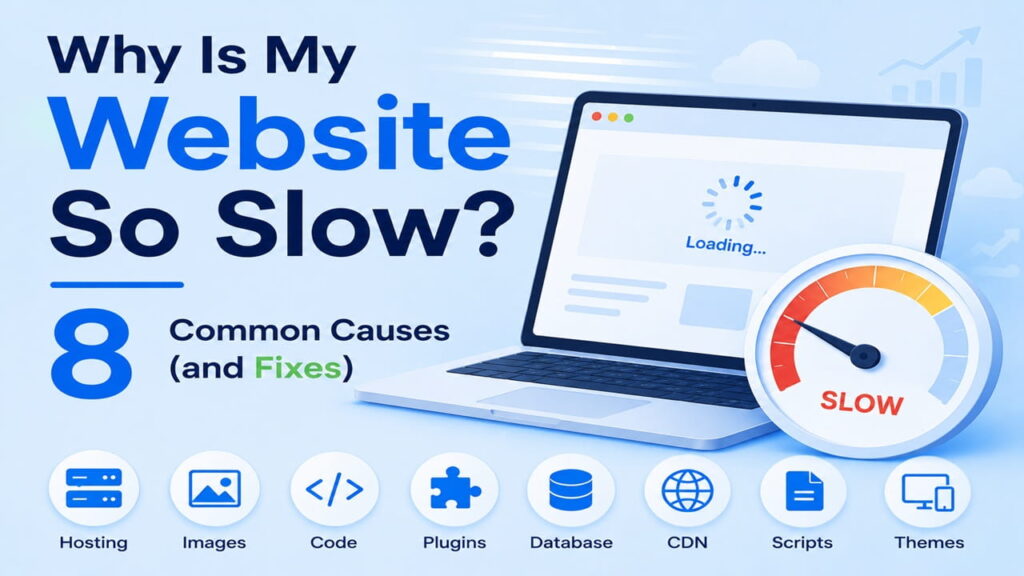
Here are the 8 most common culprits, in roughly the order worth checking first.
1. Your Hosting Plan Can’t Keep Up
This is, by far, the most common reason behind “why is my website so slow” — and the one people check last instead of first. Shared hosting splits server resources across many sites at once. If your traffic has grown, or a neighboring site on the same server is hogging resources, your load times suffer no matter how well-optimized your content is.
The fix: Upgrade to a host with dedicated resources. Our best VPS hosting guide breaks down providers that give your site its own resources instead of sharing them with strangers.
2. Unoptimized Images
Large, uncompressed images are one of the heaviest contributors to slow page loads, especially on image-rich pages like product listings or photo-based blog posts. A single uncompressed photo straight from a phone camera can be 5–10x larger than it needs to be for web display.
The fix: Compress images before uploading, convert to modern formats like WebP, and enable lazy loading so images below the fold only load once a visitor scrolls to them.
3. No Caching Set Up
Without caching, your server rebuilds every page from scratch on every single visit — recalculating database queries, regenerating HTML, and reprocessing scripts, even if nothing on the page has changed. That’s an enormous amount of repeated, unnecessary work.
The fix: A caching plugin solves this almost immediately by serving a pre-built version of your page instead of regenerating it each time. We cover exactly how this works in our guide to speeding up WordPress with WP Rocket.
4. Too Many Plugins (or Poorly Coded Ones)
Every plugin adds code that has to load and execute. A handful of well-coded plugins is rarely a problem — but a site running 30+ plugins, several of them poorly maintained, can slow page generation significantly, even if each individual plugin seems lightweight.
The fix: Audit your plugin list. Deactivate and delete anything you’re not actively using, and check whether any single plugin is unusually heavy using your hosting dashboard’s performance tools.
5. Render-Blocking CSS and JavaScript
By default, browsers often have to fully load and process CSS and JavaScript files before they can display anything on the page — meaning your visitor stares at a blank screen while scripts that might not even matter for the visible content finish loading.
The fix: Defer non-critical JavaScript and minify CSS/JS files so they load faster and don’t block the page from rendering. Most modern caching plugins, including WP Rocket, handle this automatically.
6. No CDN (Content Delivery Network)
If your server is physically located in one country and a visitor is browsing from another, every request has to travel that physical distance — adding real, measurable delay. A CDN solves this by storing cached copies of your site across servers worldwide, serving each visitor from the location closest to them.
The fix: Enable a CDN — many hosts and caching plugins include one for free or as a low-cost add-on.
7. A Bloated Theme
Some themes load enormous amounts of CSS, JavaScript, and built-in features you’ll never use, simply because they’re designed to look impressive in a demo rather than perform well in production. A heavy theme can slow down every single page on your site, all at once.
The fix: Choose a lightweight, performance-focused theme. Switching themes is one of the more involved fixes on this list, but also one of the most impactful if your current theme is the actual bottleneck.
8. Database Bloat
Over time, WordPress databases accumulate post revisions, spam comments, expired transient data, and orphaned entries from deleted plugins — none of which you need, but all of which your database still has to sift through on every query.
The fix: Run a database cleanup periodically. Most quality caching plugins include this as a built-in feature, removing the clutter without you needing to touch your database directly.
So, Why Is Your Website Actually Slow?
In most cases, it’s not just one of these — it’s two or three compounding each other. A slow host makes a caching problem worse. A bloated theme makes uncompressed images even more painful to load. Fixing all 8 at once isn’t necessary, but tackling them in the order above (hosting first, then caching, then the rest) tends to produce the most noticeable improvement for the least effort.
If you’ve already addressed caching and optimization on the software side and your site is still sluggish, it’s worth seriously evaluating whether your hosting is the actual ceiling. Our hosting for ecommerce and VPS guides are good starting points if you suspect that’s where the real problem lives.
Frequently Asked Questions
What’s the single biggest cause of a slow website?
For most sites, it’s hosting — specifically, shared hosting that’s run out of resources for your current traffic level. Software fixes like caching help, but they can’t fully compensate for a server that’s genuinely overloaded.
How can I check what’s actually slowing my site down?
Free tools like Google PageSpeed Insights or GTmetrix will break down exactly which resources are loading slowly, giving you a concrete starting point instead of guessing.
Will a caching plugin alone fix a slow website?
Often it makes a major difference, but not always the full fix. If your hosting itself is the bottleneck, caching helps less than it would on a server with adequate resources.
How much does page speed actually affect my traffic or sales?
Significantly. Research has consistently shown that even a one-second delay in load time can meaningfully reduce conversions, and slower sites tend to rank lower in search results as well.
🏁 Bottom Line
If you’ve been asking “why is my website so slow,” the answer is almost always a combination of a few fixable issues — usually starting with hosting, then compounding with image weight, missing caching, and plugin bloat. Work through the list above in order, and most sites see a meaningful, measurable improvement without needing a full rebuild.